GitHub
Enterprise-Grade Repository Management
A comprehensive demonstration of professional GitHub practices including advanced branching strategies, security features, automated workflows, and multi-environment deployment pipelines.
Repository Structure
Organized and modular repository layout with clear separation of concerns:
git-bootcamp/
├── 📁 agent/           # Agentic AI implementation
├── 📁 docs/            # Complete documentation
├── 📁 terraform/       # Infrastructure as Code
└── 📁 website/         # Web dashboard
Branch Strategy
Professional branching model for collaborative development:
Main Branch
Production-ready code with strict protection rules
Feature Branches
Individual features and enhancements
Issues & Project Management
Issue Tracking
All work items tracked with labels and assignments
Project Board
Visual workflow: Backlog → To Do → In Progress → Review → Done
Milestones
Group issues by release or sprint
Automation
Issues automatically move with PR status
Issue Types
PAT Token Issues
Classic vs Fine-grained tokens and common authentication problems
Organization Required
Why personal accounts don't work and how to create organizations
Permission Issues
Organization owner requirements and role assignment problems
Migration Errors
Timeouts, conflicts, large files, and other migration issues
Click on any card above to learn more about each issue and how to fix it!
Pull Request Workflow (Production)
Professional code review process with automated checks for production deployments:
Required Checks for Production
GitHub Security
Dependabot
Automated dependency updates and vulnerability alerts
Code Scanning
CodeQL analysis and SAST security testing
Secret Scanning
Prevent credential leaks and token exposure
Security Policy
Vulnerability reporting and response procedures
Click on any security feature above to learn how to enable and use it!
Secrets & Variables Management
Repository Secrets
Encrypted secrets for CI/CD workflows:
| Secret | Description | Used By |
|---|---|---|
| AZURE_CREDENTIALS | Service Principal JSON | All workflows |
| AZURE_SUBSCRIPTION_ID | Azure subscription ID | Terraform |
| AZURE_CLIENT_SECRET | Service Principal password | Authentication |
| TF_STATE_STORAGE_ACCOUNT | State storage account | Backend config |
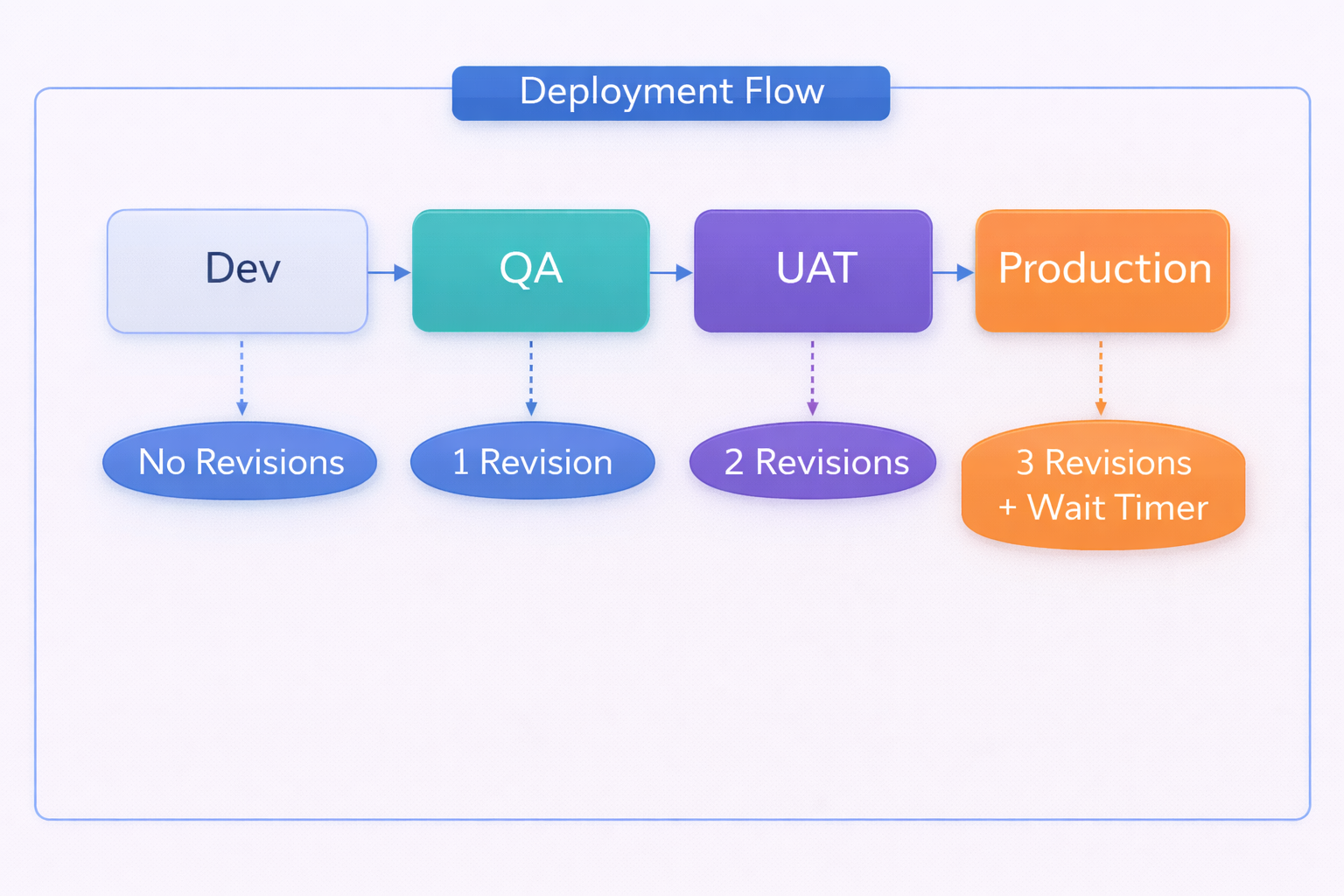
Multi-Environment Strategy
Progressive deployment pipeline with approval gates:
Development
No approvals, any branch, rapid iteration
QA
1 reviewer required, dev/feature branches
UAT
2 reviewers + 5 min wait, dev/release branches
Production
3 reviewers + 10 min wait, main branch only
Deployment Flow